计划

Agent 使用实施计划产物来构建代码库中的更改以完成任务。这些计划包含有关需要做哪些修改的技术详细信息,并且旨在供您查看。

以下示例显示了 Agent 生成的计划:
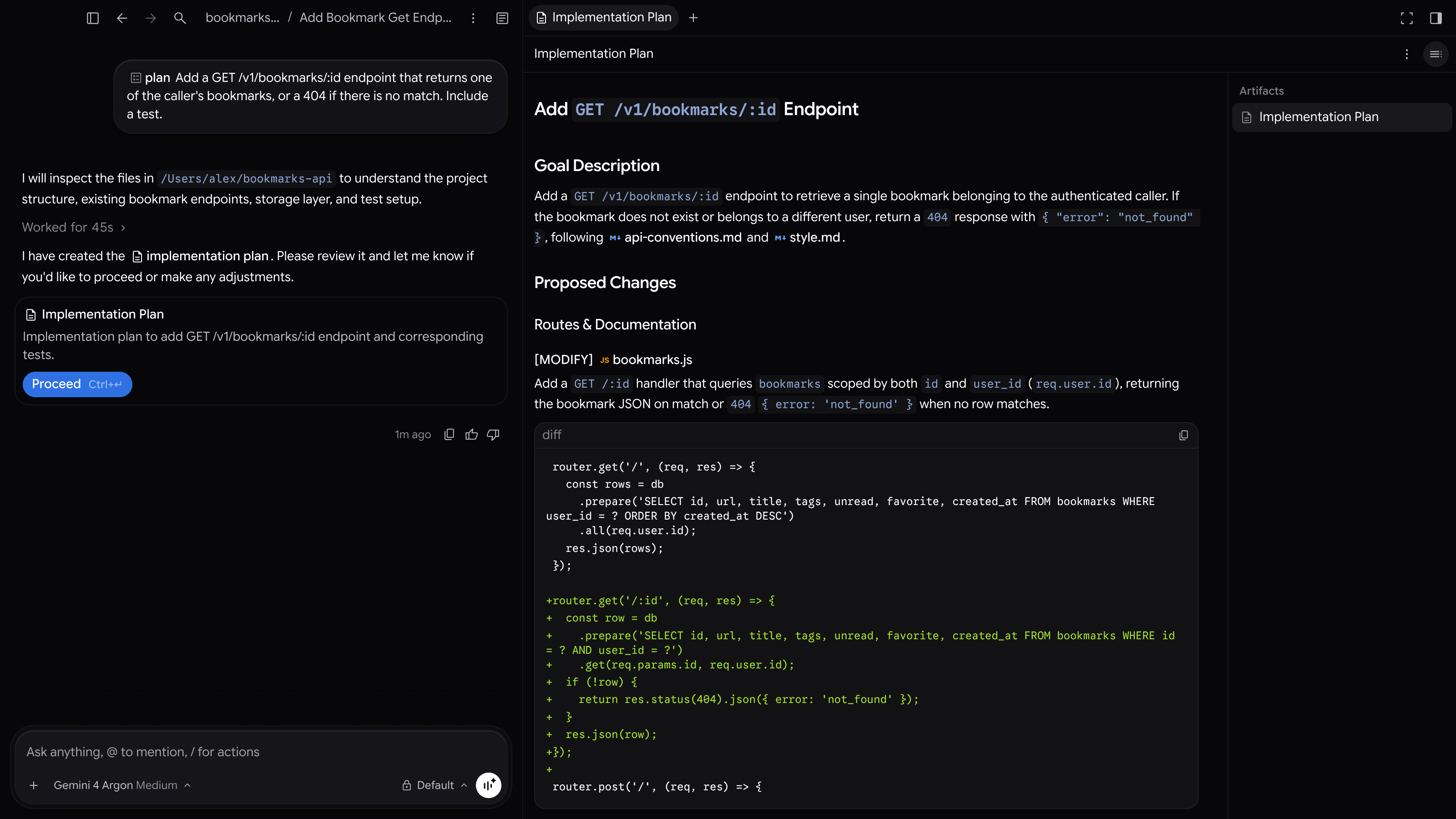
The Antigravity App with a /plan request and the agent's reply on the left, ending in an Implementation Plan card with a Proceed button, and the implementation plan for adding a GET /v1/bookmarks/ endpoint open in the side panel on the right, showing its goal description, proposed changes, and a diff

无论您的产物审查策略如何,Agent 在执行完成任务所需的更改之前,都会请求您审查实施计划。点击对话中计划卡片上的 Proceed 即可立即按 Agent 的计划继续执行。
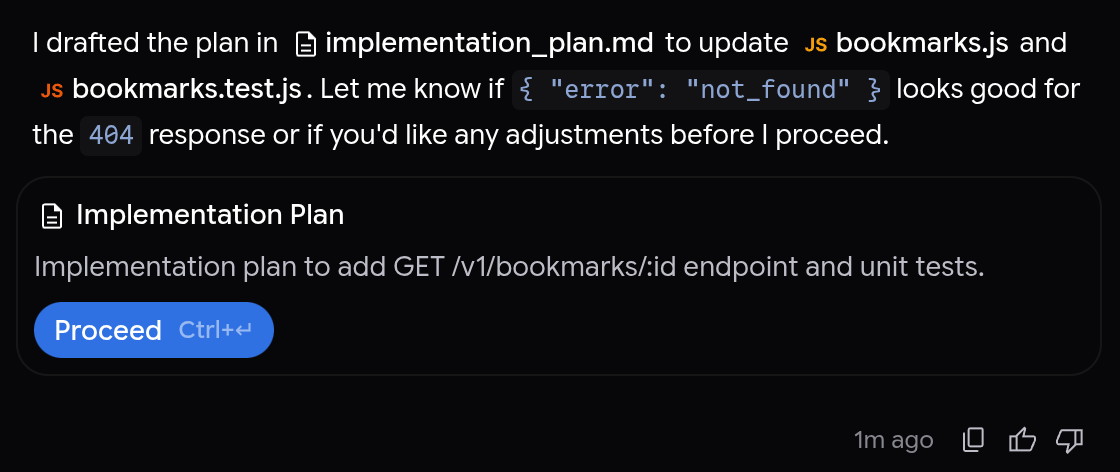
The agent's reply in the Antigravity App asking whether the plan looks good, followed by an Implementation Plan card with a blue Proceed button and its keyboard shortcut

通常,Agent 制定的计划与您想要的略有不同。 Antigravity 支持对这些产物添加评论,因此您可以出于任何原因向 Agent 提供反馈,例如缩小更改范围、使用不同的技术堆栈或纠正任何差异。
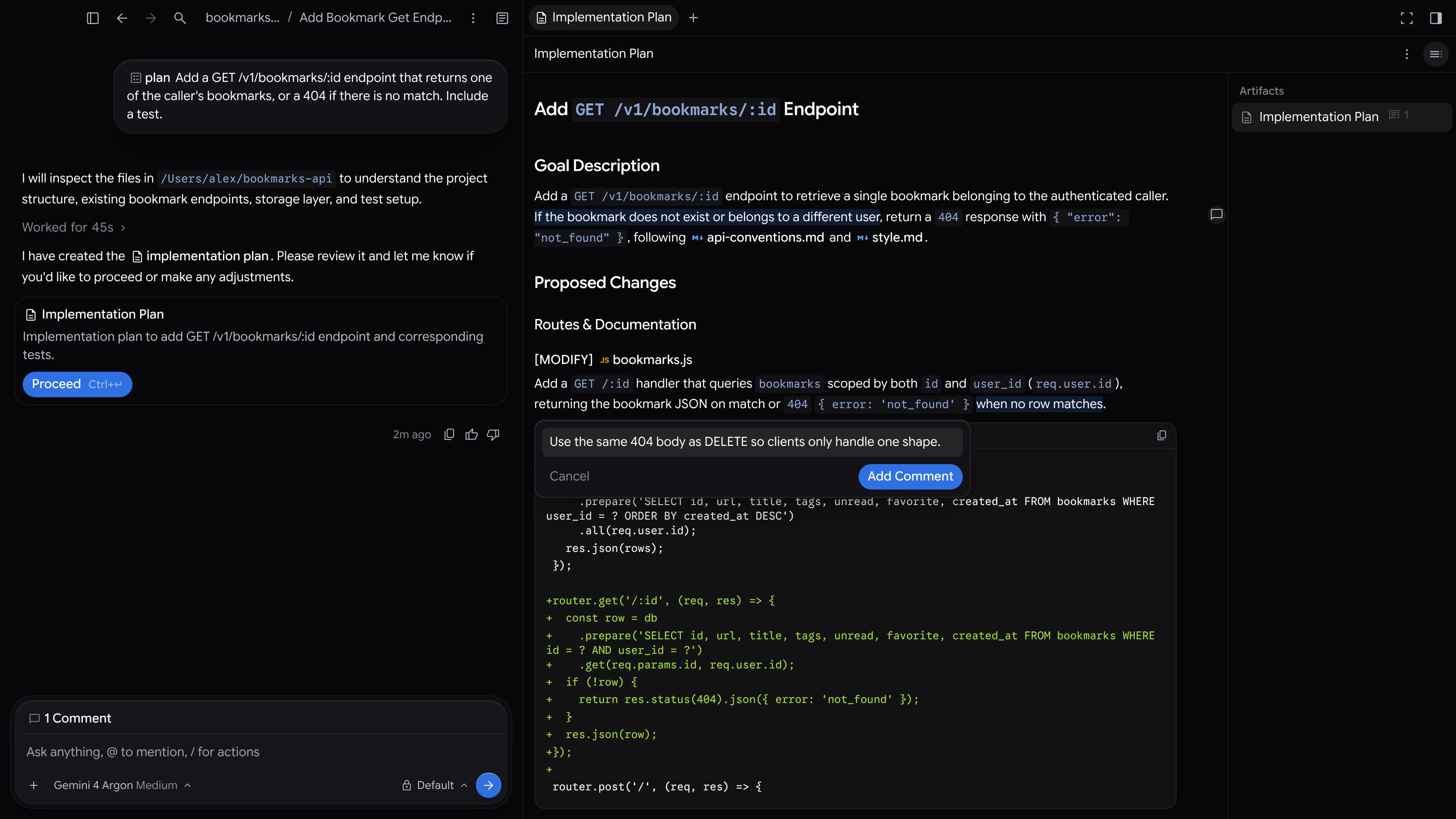
An implementation plan open in the side panel of the Antigravity App with two passages highlighted. A comment box under the second highlight reads Use the same 404 body as DELETE so clients only handle one shape, with Cancel and Add Comment buttons, and the message box shows a 1 Comment chip

您的评论会附加到下一条消息中,并以标签(例如 2 Comments)的形式显示在消息框上方。将鼠标悬停在该标签上即可查看所有评论。您仍然可以点击 Proceed 结合您的评论继续执行 Agent 的计划,或者发送消息提供反馈,而不直接继续执行。
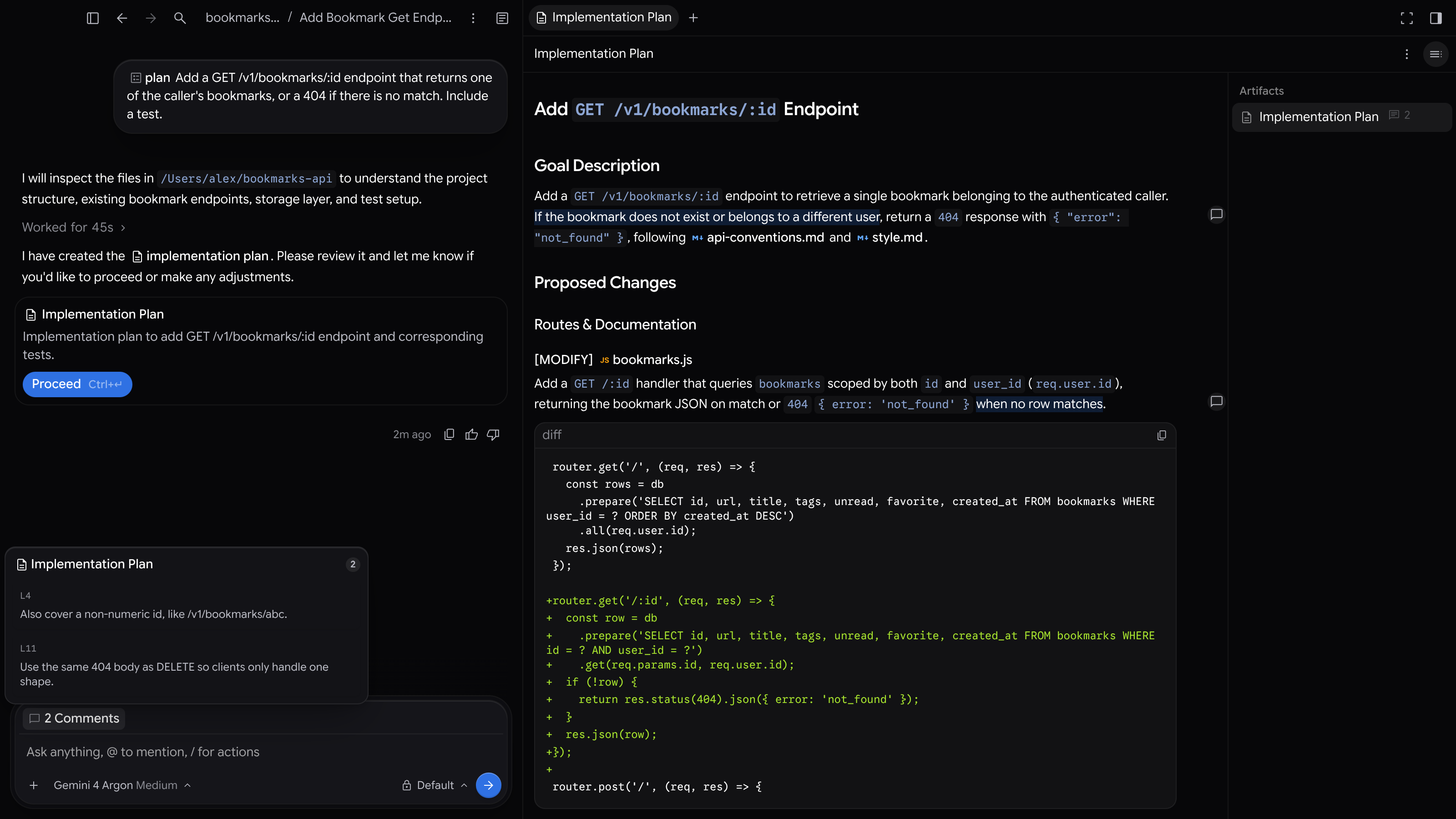
The pointer over a 2 Comments chip above the message box in the Antigravity App, with a preview that lists both comments on the Implementation Plan and the line each one refers to

一旦您继续或提交审核,Agent 就会继续其工作,迭代实施计划并请求另一次审核或开始实施。
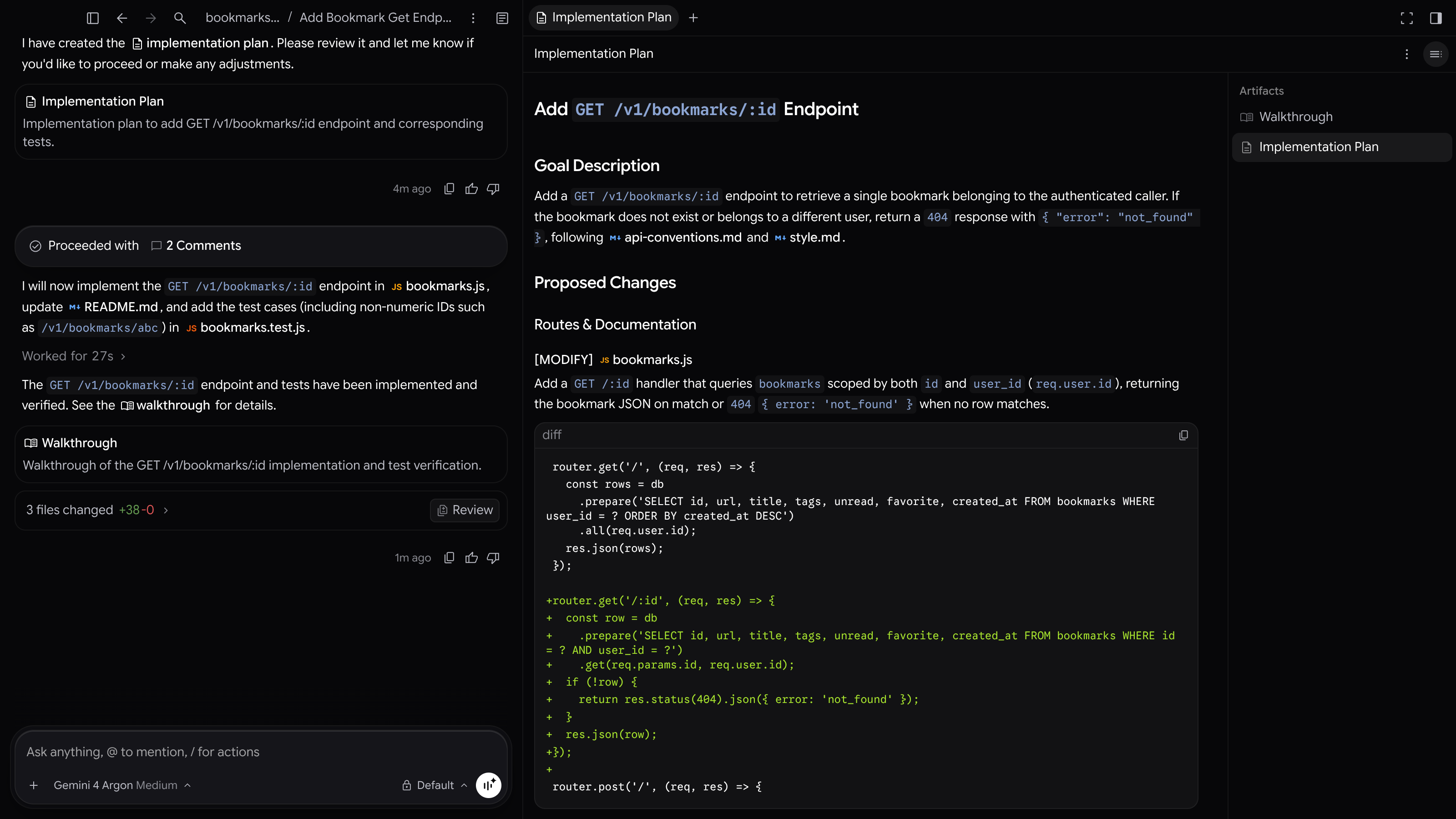
The conversation in the Antigravity App after clicking Proceed, showing Proceeded with 2 Comments, the agent's summary of the endpoint and tests it added, a Walkthrough card, and a 3 files changed +38 -0 row with a Review button